Posts

How to Setup Jio E sim
Image
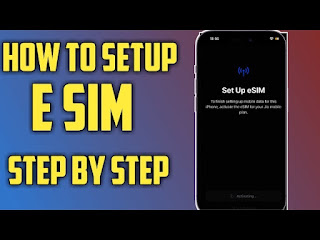
  HOW TO SETUP E SIM  Now a days the E sim is more popular instead of physical Sim. One of the drastic change that should  influence in future. So You can setup e sim simply With these steps Following. 1)  Insert Your Sim and make sure your email should linked with jio  2) send an ESIM Activation sms to 199( Jio helpline) <GETESIM<32 Digit Eid Number><15 Digit IMEI Number >  To Get IMEI ( *#06# ) To Get Eid in iPhone ( settings> general> about> EID )  3) Once your request has been sent , Simply You can get a confirmation from Jio.  4) confirmation call  5) Jio e sim Activation ( took an Internet plan and install the e sim carrier simply clicking on install in settings> General> Device management). 6) Then Enjoy your E sim.  For further information check the video Link : Tutorial in video style

How to smooth face in Snapseed in one click

Image
STEPS YOU WANT TO FOLLOW 1) Import your picture in to snapseed   2) Click on the tool box and select Lense blur option 3) Decrease the diameter of the round to a Dot . And place it to any corner of the picture. 4) click the tick mark.  5) Then click to the edit stack option  6) the click the view edits tab and select Lense blur  7) select the brush icon 8) then set your opacity to 25% to get best results. 9) then zoom the face possible and rubb the face you can also use the  eye icon bellow to understand the smooth affected area . 10) then save the picture to your gallery. Enjoy !

Stable Diffusion Tutorial

Image
1) Open Genmo.ai 2) Create an account and sign in 3) Upload your photo 4) Discribe the Edits to be Applayed to your photo 5) Submit your photo 6) After some Loading Your video will be downloaded

How to Send WhatsApp Messages to an Unsaved number ?

Image
now you can send Messages to an unsaved number in whatsapp. Here is the Steps You have to follow 1. Firstly Copy The number You want to message. 2. Then Open your Whatsapp and take to the new chat section 3. Now you can see Your Name in Your contact list. open that chat. (if the option is not available please update your whatsapp from Playstore or App store ) 4. Paste the number, Now you can see the number is highlighted with blue colour. 5. Click on that number and select message to that number. Then Enjoy!!

How to Enable 5G On IPhone

Image
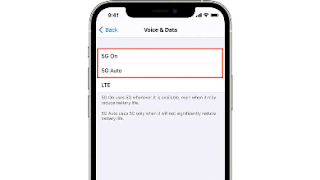
Before you can start using the 5G network on your iPhone, check sure the following conditions Check to see if your network provider offers 5G services .Check to see whether your location has decent 5G coverage .Activate your eSIM or place a SIM card in the sim card slot .Activate a 5G plan on your SIM card. steps To Activate 5G 1)To begin, go to your iPhone’s Settings app. 2)Choose Cellular options from the drop-down menu. 3)Select ‘Cellular Data Options’ from the menu. 4)The ‘Voice & Data’ option must be selected here. 5)The two alternatives we previously discussed will appear on the next screen. In addition, an LTE option will be available. One of the following two options must be chosen:

How to Enable Malayalam keyboard on iPhone

Image
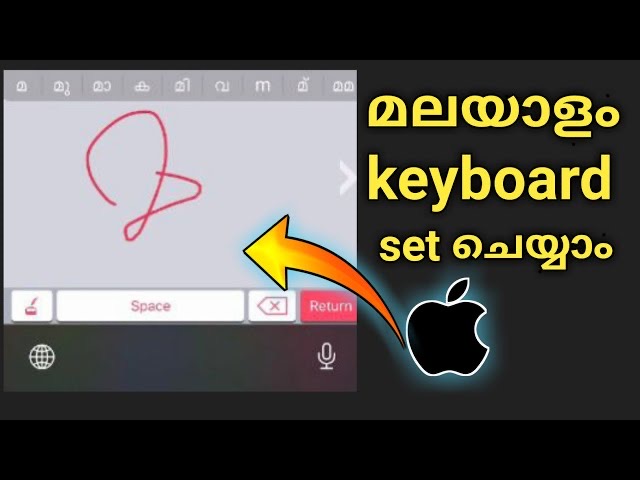
Steps that you follow 1. Open App store And Download ' Ezhuthani App' 2. Open the App and Allow full Access in the settings 3. Try the keyboard And change languages from clicking the Globe icon from the keyboard 4. Then Enjoy your Keyboard with Malayalam languges

How to hear WhatsApp Voice Without Knowing the sender

Image
STEPS 1. Open Files on your device 2. Target the folder Whatsapp 3. Open media folder 4. Then choose the folder that you want Right now ( folder name as The date of the messeges ) 5. Now you can see the .opus files on the folder 6. Long press the file and rename the extension .opus to .Mp3 7. Now you can play the Whatsapp voice without knowing the sender If you have Any doubts you can Also watch the video given bellow click here to watch